How to Verify a Chinese Electronic Business License: A Practical Guide for Overseas Buyers
The PDF Looks Official. Is It?
Your supplier sends you a business license. It is not a scanned paper copy anymore. It is a clean PDF, or a screenshot from a phone. The company name is there. The Unified Social Credit Code is there. The red stamp looks right. Everything looks official.
You save it to your supplier folder and move on.
Here is the problem: that file tells you nothing. An electronic business license in China is just a digital document. Anyone can download a real one, change the company name in Photoshop, and send it to you. The red stamp can be copied from another document. The QR code can be generated from scratch. If you do not know how to check it, you are trusting a file that took five minutes to fake.
This is not a hypothetical. We see it every week — buyers who wired deposits to companies that do not exist, because the “business license” in their inbox looked convincing enough.
This article explains what an electronic business license actually is, why you cannot verify it by looking at it, and the only tool currently available that can check one for you.
What Is a Chinese Electronic Business License?
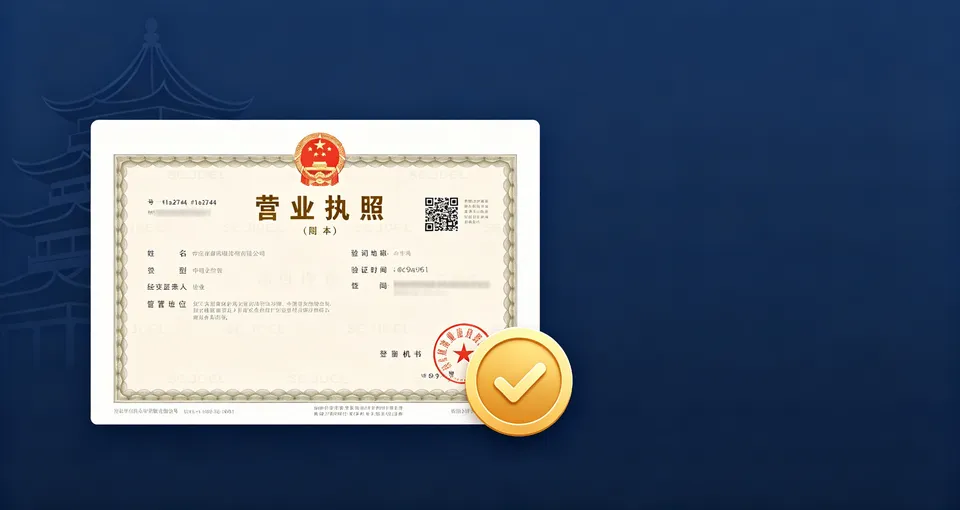
China started issuing electronic business licenses (电子营业执照) in 2019. By now, nearly every registered company in the country has one. It is the digital equivalent of the paper business license — same legal effect, same information, issued by the same market regulator (SAMR).
A legitimate electronic business license contains:
- Company name (in Chinese)
- Unified Social Credit Code (18 digits)
- Legal representative name
- Registered capital
- Establishment date
- Registered address
- Business scope
- Operating status
Companies can download it from the official government app or system and send it to whoever asks for it. That is the good part. The bad part is that once it leaves the government system, it is just a file. Files can be edited.
Why You Cannot Verify One by Looking at It
If you have ever tried to check a Chinese business license yourself, you already know the obstacles. Here is what actually goes wrong.
You cannot read the Chinese. Even if the document is real, you cannot tell whether the business scope includes manufacturing or import-export rights. You cannot tell whether the status says “active” or “revoked.” The fields are there, but they are in regulatory Chinese, and Google Translate gets the key terms wrong often enough to be dangerous.
The file can be altered. A real electronic license is downloaded as an image or PDF. A fraudster takes a real one from a legitimate company, opens it in an image editor, changes the company name and USCC, and sends it to you. The layout, the font, the stamp — everything looks correct because it came from a real document. Only the text was swapped. You cannot spot this with your eyes.
The QR code does not help. Electronic licenses have a QR code. In theory, scanning it takes you to the official verification page. In practice, the QR code on a fake document points to a fake page, or to nothing. And from outside China, the official QR verification page often does not load anyway. A scammer knows this and counts on you not being able to scan it successfully.
Checking it against GSXT requires Chinese fluency. You could take the USCC from the license and look it up in the National Enterprise Credit Information Publicity System (GSXT). But GSXT is entirely in Chinese, loads poorly from overseas, uses Chinese CAPTCHAs, and requires the exact registered name. If the USCC on the fake license was copied from a real but different company, GSXT will show you that other company’s data — and you will not notice the name mismatch because you cannot read it.
The result: most overseas buyers either skip the check entirely, or do a check that does not actually catch anything.
The Only Tool That Verifies Electronic Licenses
As of now, ChineseVerify.com is the only service provider that offers electronic business license verification for overseas users. The feature is at chineseverify.com/license-verify.
Here is how it works and why it is different from just looking up a company name.
You upload the license file. Drag and drop the PDF or image your supplier sent you. No need to type in a company name or USCC. The system reads the document directly.
It extracts the data and cross-checks it against official databases. The tool pulls the USCC, company name, and other fields from your uploaded file, then queries the same official SAMR and GSXT databases that power the government registry. It compares what is on your document against what the government has on record.
It tells you whether the license is real, altered, or invalid. This is the part no other service does. A standard company lookup tells you whether a company with that USCC exists. License verification tells you whether the specific document you uploaded matches the official record. If the name on the file was changed, if the USCC belongs to a different company, if the company status has changed since the license was issued — the tool flags it.
You get an English result. No Chinese required. The verification result, the company details, and the risk flags are all in English. You can save the report for your records.
This matters because a company lookup and a license verification are two different things. A company lookup answers “does a company with this name exist?” A license verification answers “is the document this supplier sent me genuine?” Most fraud does not involve a completely made-up company. It involves a real company’s details on a fake document, or a real company that has been deregistered. License verification catches both.
How to Run a Check
Go to chineseverify.com/license-verify. Upload the business license file your supplier sent you — PDF, JPG, or PNG. Click verify.
The system reads the document, extracts the USCC and company name, and checks it against the official government registry. In under two minutes you get a result:
- Verified — the document matches the official record. The company exists, is active, and the details on the license are accurate.
- Mismatch detected — the information on the uploaded document does not match the official record. This usually means the document was altered, or the USCC and company name belong to different entities.
- Invalid or revoked — the company exists but its status is not active (revoked, deregistered, suspended, or abnormal operations). A license from a company in any of these states is not valid for new business.
If the result is anything other than Verified, do not pay. Ask the supplier for clarification. A legitimate company will send you a fresh download from the official system. A fraudster will pressure you, make excuses, or disappear.
When You Should Verify a License
Every new supplier, before the first payment. This is non-negotiable. The business license is the one document that proves the company exists. If you cannot verify it, you have no proof.
When a supplier changes their company name or bank details. If the entity you are paying suddenly has a different name on the license, find out why before you send money.
Annually for existing suppliers. A company that was active last year may have been deregistered this year. Re-verify once a year, or any time you place a large order.
When the license looks “too clean.” A genuine electronic license downloaded from the government system has specific formatting and security features. A screenshot of a screenshot, or a PDF where the text looks slightly off, is worth checking. But even a perfect-looking document needs verification — the best fakes are the ones that look perfect.
What a Verified License Does and Does Not Tell You
A verified electronic business license confirms that the company legally exists, is currently active, and that the document your supplier sent is genuine. That is a lot. It is not everything.
It does not tell you whether the company is a factory or a trading company. For that, check the business scope — if “生产” (production) or “加工” (processing) is not listed, they are not a manufacturer.
It does not tell you whether the company has litigation, penalties, or dishonest-execution records. For that, you need a full company report with risk data.
It does not tell you whether the person you are talking to actually works for the company. A fraudster can use a real company’s genuine license to impersonate them. If the deal is high-value, cross-check the contact person and bank account name against the registered entity.
Think of license verification as the first gate. If the license fails, nothing else matters. If it passes, you still do the rest of your due diligence — but at least you know you are dealing with a real, active company.
The Bottom Line
Electronic business licenses are convenient. They are also easy to fake, and almost impossible for a non-Chinese speaker to verify manually. The PDF in your inbox is not proof of anything until it has been checked against the official record.
ChineseVerify’s license verification tool is currently the only service that does this check for overseas users — upload the file, get an English result in under two minutes, and know whether the document your supplier sent is genuine. It costs less than a typical courier fee and catches the most common form of supplier fraud before you pay.
Verify a Chinese electronic business license now →
FAQ
My supplier sent me a paper license scan, not an electronic one. Can I still verify it?
Yes. The license verification tool accepts scanned images as well as electronic files. The process is the same — upload the image, and the system extracts the data and checks it against the official registry.
The license has a QR code. Shouldn’t I just scan that?
You can try. In practice, the official QR verification page is Chinese-only and often does not load from outside China. And on a fake document, the QR code may point to a fraudulent page. Uploading the file to a verification tool is more reliable and gives you an English result.
What does it mean if the result says “mismatch detected”?
It means the information on the document you uploaded does not match the official government record. Common causes: the company name was edited, the USCC belongs to a different company, or the license was issued to an entity that has since changed its registration details. In any case, treat the document as untrustworthy and ask the supplier for a fresh download from the official system.
Is a verified license enough for compliance or bank KYC?
A verified license confirms the company exists and is active. For formal KYC, compliance filings, or high-value contracts, you may also need a full company report with risk data, shareholder information, and business scope. The license verification is the starting point, not the complete due diligence package.
How often should I re-verify an existing supplier’s license?
At least once a year, and any time the supplier changes their company name, bank details, or contact information. A company’s registration status can change — deregistration, revocation, or abnormal operations — and a license that was valid six months ago may not be valid today.
More reading
- USCI Number Explained: China’s 18-Digit Business ID
- USCI (USCC) vs Business License Number: What Is the Difference?
- How to Verify a Chinese Company Stamp in 3 Steps (Avoid Scams)
Published by the ChineseVerify Team